Your Router Might Be the Problem: Why Office Wi-Fi Undermines Business VoIP
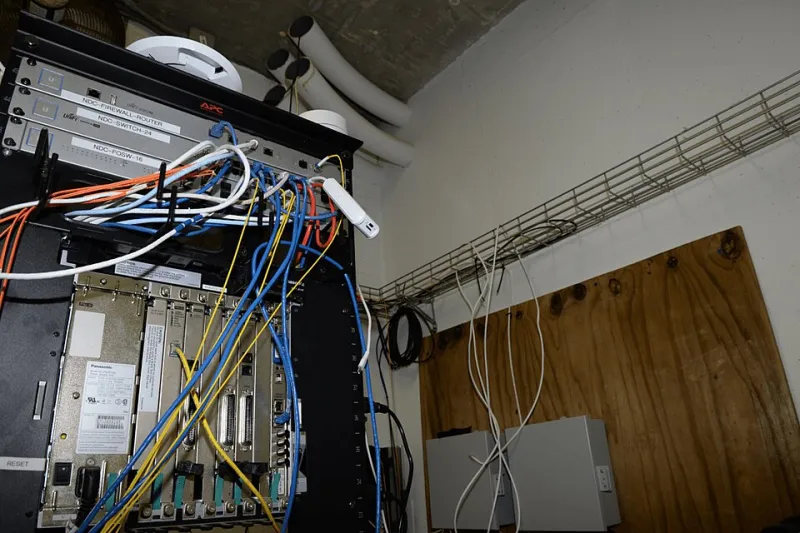
Photo: Federal Bureau of Investigation, Public domain, via Wikimedia Commons
There is a familiar complaint that reaches every telecoms provider's support desk: the broadband line tests perfectly, yet the calls still crackle, drop syllables and occasionally disconnect altogether. In many cases, the fault lies not with the connection but with what happens after it — the wireless network distributing that connection around the office.
The Last Metre Matters More Than You Think
Businesses routinely invest in high-quality broadband and then connect their handsets and softphones through the cheapest wireless hardware available. It is an understandable economy. But VoIP is unforgiving: it transmits voice as a continuous stream of small data packets, and it cannot tolerate delay the way an email or a file download can. A web page that loads two seconds late is an inconvenience. A voice packet that arrives 200 milliseconds late is a gap in the conversation.
Consumer-grade routers, often supplied free with residential packages and repurposed in offices, are rarely engineered to prioritise that stream. Under load — a large file transfer, a video conference, a cloud backup kicking off at 2pm — voice traffic competes with everything else on equal terms. The result is the jitter and packet loss that make even premium lines sound second-rate.
The Mesh Network Trap
Mesh Wi-Fi systems have become enormously popular, and for good reason: they cover awkward buildings elegantly. But most consumer mesh products achieve their coverage by routing traffic between nodes over the same wireless spectrum they use to serve devices. Every hop adds latency, and every node handling a backhaul link has less capacity for clients.
For a household streaming television, this is invisible. For an office where a sales team spends four hours a day on the phone, it is a structural weakness. A handset connected to a mesh node two hops from the router may be adding 30–50ms of latency before the call has even left the building — enough, on a marginal line, to push total delay into audibly uncomfortable territory.
One Network, Many Bottlenecks
The default setup in most small offices is a single wireless network shared by everyone: staff laptops, guests, smart TVs, printers, card machines and every VoIP handset. Everything competes in one undifferentiated pool.
This is where two pieces of networking vocabulary earn their keep:
- VLANs (Virtual Local Area Networks) allow you to segregate voice traffic onto its own logical segment. Your handsets stop competing with the marketing team's Dropbox syncs because, as far as the network is concerned, they are no longer on the same road.
- QoS (Quality of Service) instructs the router to prioritise certain traffic — voice above all else. When the network congests, QoS decides what gets delayed. Without it, the router delays whatever happens to arrive last, which is frequently a voice packet.
Neither requires enterprise budgets. A competent business router supporting both can be had for the price of a few months of phone lines, and many business broadband packages include hardware that does exactly this.
A Practical Sequence of Upgrades
For SMEs prepared to spend an afternoon rather than a fortune, the sensible order of operations is:
- Wire where you can. Any fixed handset or desk-based softphone should be cabled to the network if at all possible. Ethernet is boring, reliable and immune to microwave interference.
- Separate voice from everything else. Put VoIP handsets on a dedicated VLAN, or at minimum a separate SSID with no guest devices on it.
- Enable QoS and prioritise voice. Most business routers expose this under a menu labelled traffic shaping or application priority.
- Audit your wireless environment. In dense office buildings or converted mill developments — common across UK business parks — overlapping networks on crowded channels cause interference that no amount of bandwidth resolves. A channel scan will reveal whether you are shouting over your neighbours.
- Retire the free router. If your current hardware cannot do steps two and three, it is the bottleneck, whatever the broadband speed test says.
The Return on a Modest Investment
The economics are straightforward. Poor call quality costs credibility with customers, wastes staff time repeating themselves, and drives quiet decisions to reach for personal mobiles instead — which fragments your call records and undermines any VoIP savings you had banked.
A few hundred pounds of network attention, by contrast, protects the entire investment. Fast broadband is only half the story; the network design between the wall socket and the handset determines whether that speed ever reaches the conversation. Fix the last metre, and cheap calls genuinely do sound expensive.